No products in the cart.
New launch! Jupiter 2.0 - The next generation of WordClock has arrived - advanced technology, brighter LEDS, future-ready.
App

Instantly connected via Bluetooth – the new generation of the WordClock makes setup easier than ever before.
With the free Build-Yours App, the WordClock can be conveniently controlled via smartphone or tablet. The app is available in the App Store and Play Store.
Three clear modes offer numerous functions – from color changes and night mode to dialect selection, special effects, and party mode.
Regular updates keep the app up to date, expand the range of functions, and ensure a modern user experience. Compatible with WordClock Jupiter and BoxClock.



Install Wordclock Jupiter
1. Set up the Build-Yours App – Connecting the WordClock Jupiter


Step 1:
Grant location
access

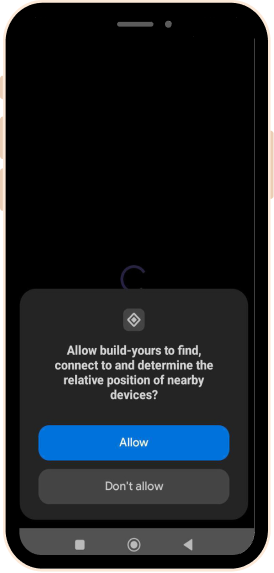
Step 2:
Allow device
discovery
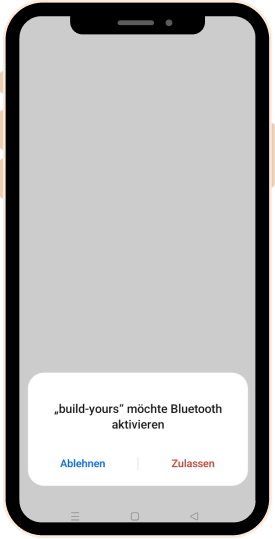
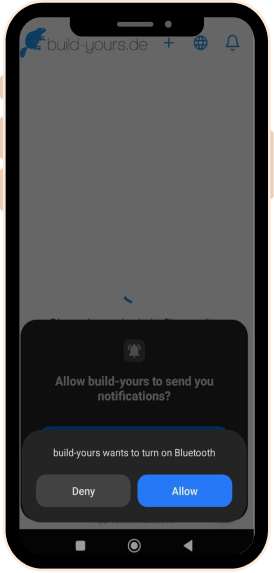
Step 3:
Enable Bluetooth
connection
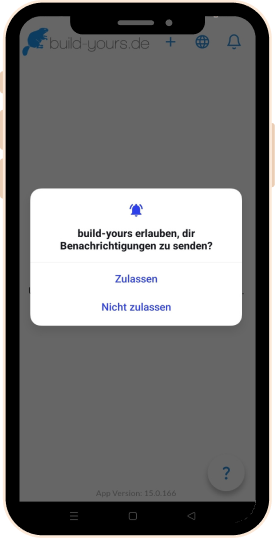
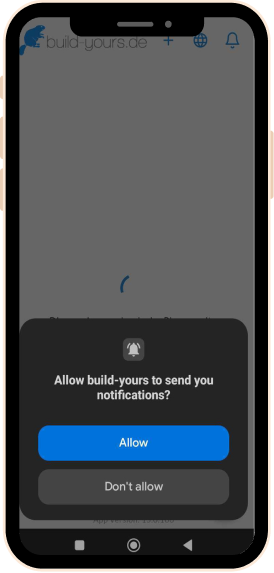
Step 4: Allow app notifications (optional)
Pro tip: First, connect your smartphone to your home Wi-Fi. Grant the app all required permissions and ensure that the router, smartphone, and WordClock are close to each other during the initial setup.
2. The clock is now connected via Bluetooth – now select your Wi-Fi network and enter the password.

You are connected via Bluetooth.


Select your home Wi-Fi network.

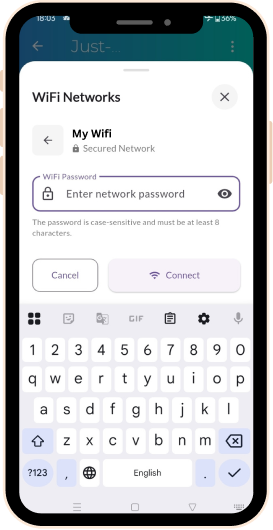
Enter your password and you are good to go!
Older Jupiter models & Boxclock
For older models and Boxclock, follow these steps to connect them.

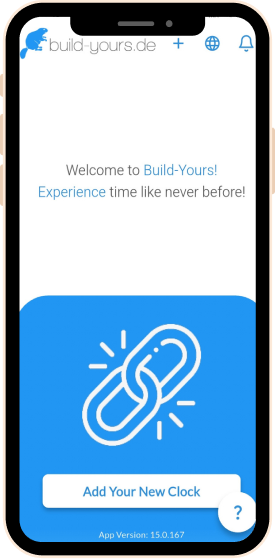
Open the build-yours app and add clock


Open Wi-Fi and select the clock's hotspot (Wordclock_1234567)
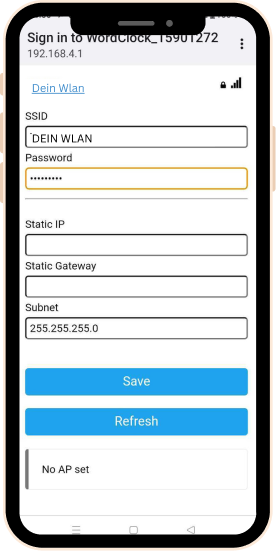
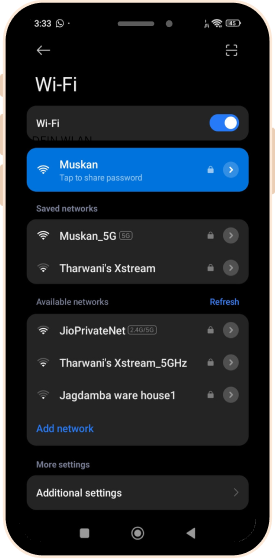
Enter Wi-Fi name and password

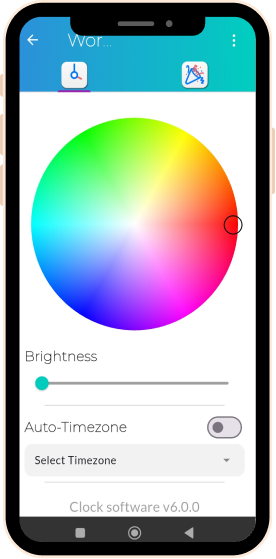
Word clock is connected and controllable with the app
Settings menu
Menu Overview
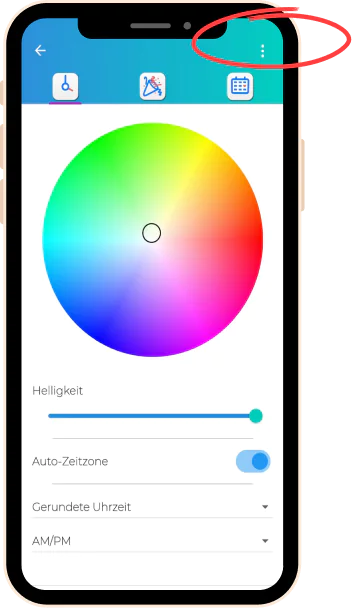
Click on the three dots to show more options
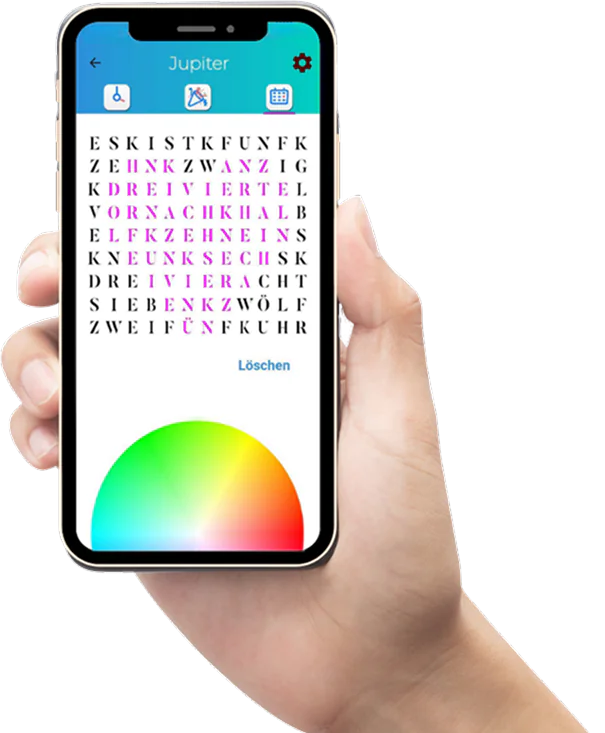
Tab "Symbol Matrix"
Tab "Party mode"
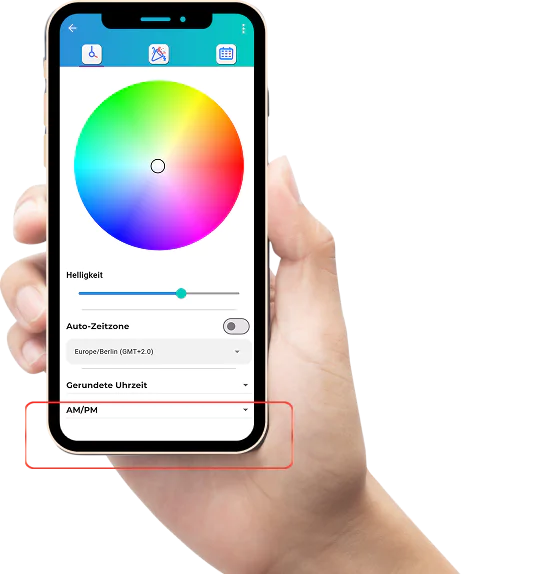
Tab "Time and display settings"
Time and display settings
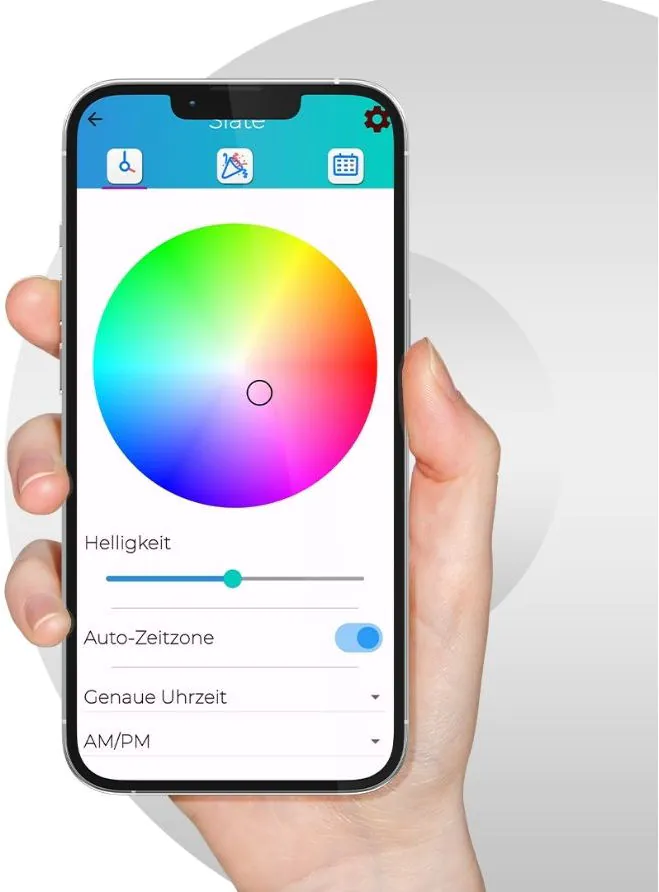
Color selection
Choose the color of the letters from over 16 million shades – simply adjust the color wheel to the desired color and let time shine in your favorite color.

Brightness settings
Adjust the brightness of the LED display to ensure the perfect light in any environment.

Automatic time zone setting
Automatically synchronizes the time zone of the WordClock for accurate timekeeping.

Dialect selection
Displays the time in the desired regional dialect, such as “Dreiviertel” or “Viertel vor”
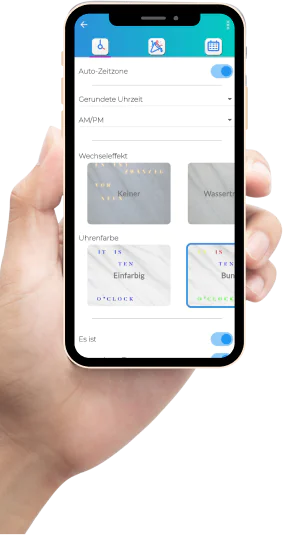
Rounded time / Exact time
"Rounded time" changes in the middle of the 5-minute intervals, while "Exact time" is completely precise.

Transition effect
Choose from a wide range of animated effects for the display – variety guaranteed.

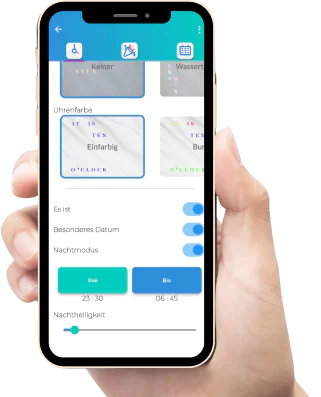
Clock color
Choose between single-color or multi-color words, or changing colors throughout the day.

"It is" option
Switch the "It is" display on or off as desired.

Night mode
Activate night mode for dimmed light – for restful sleep and energy-saving operation.

Party Mode


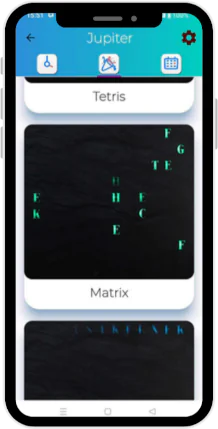





Party Mode
A special feature
Start the party with dynamic color changes and effects that set the mood for your celebration.
Symbol Matrix
Symbol Matrix
Design your own symbols
With the Symbol Matrix, your WordClock Jupiter becomes even more personal. Design your own symbols, patterns, or small motifs directly in the app and let them shine on your word clock.
Whether a heart, star, initials, or a custom symbol – the LED matrix brings your ideas visibly onto the clock and makes the WordClock a truly unique piece.



Advanced settings
Software and app Updates
Get the latest features for your WordClock!
Stay up to date with regular app updates
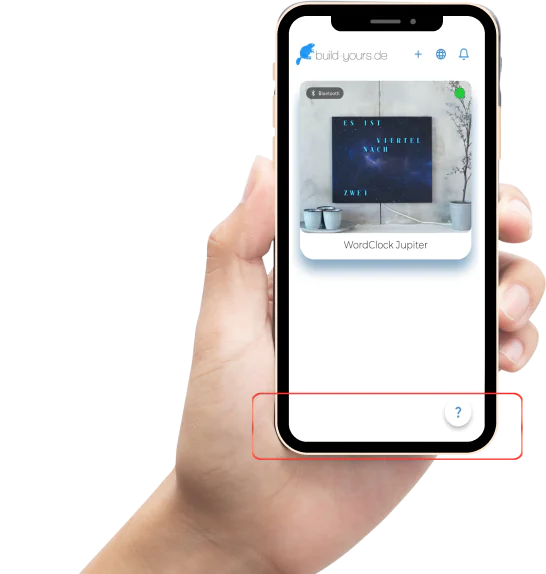
App software version 15.0.261
Clock software version 6.1.26
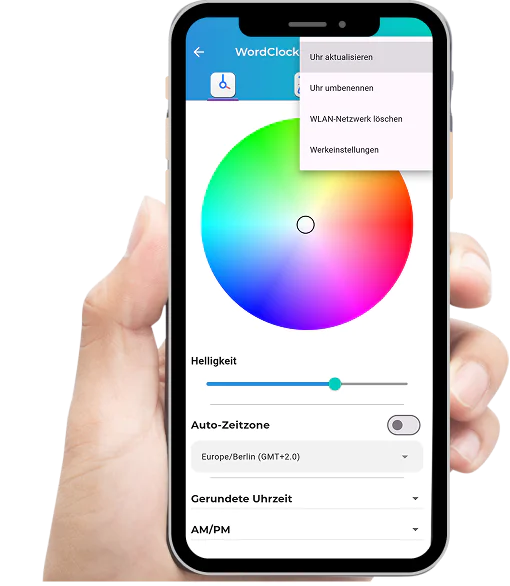

Update clock - Update the clock software to the latest version.
Rename clock – customize the name as you wish.
Delete Wi-Fi network – Disconnect from the Wi-Fi router.
Factory settings – resets the clock to default settings.